




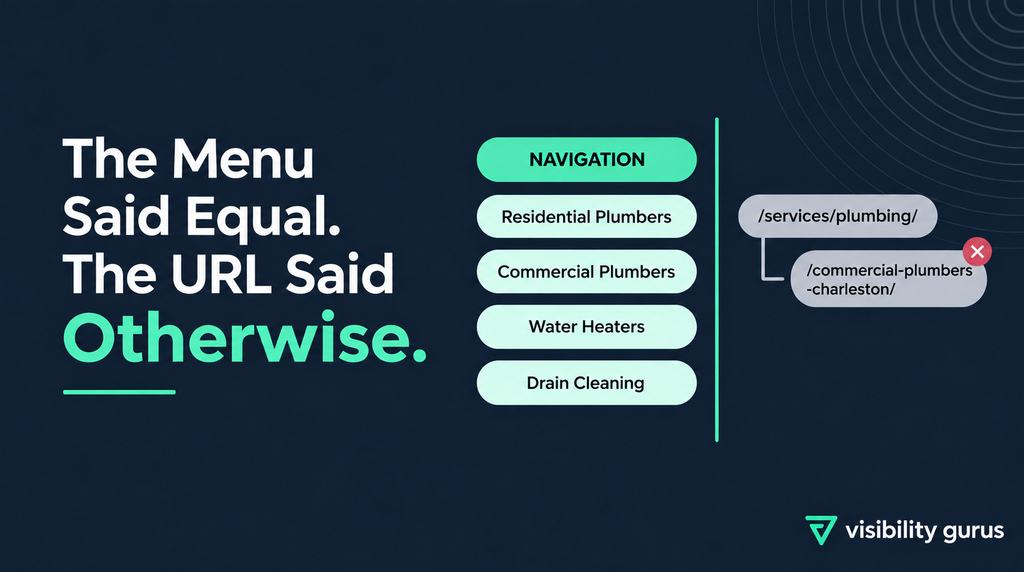

A URL says something about a page whether you intend it to or not. On this site, it was saying the wrong thing.
What We Found
This client came through a white label partnership – a plumbing company in Charleston, SC, with the SEO work on our side.
While reviewing the site structure, we pulled the navigation apart to see how the service pages were organized –
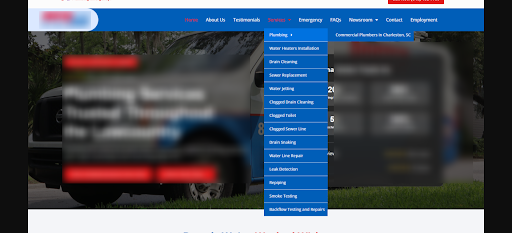
The menu looked right. Under Services, every offering sat at the same level: Residential Plumbers, Commercial Plumbers, Water Heaters Installation, Drain Cleaning, Sewer Replacement and the rest. Siblings, all of them.
Then we checked the URLs behind those menu items and they told a different story.
- Residential plumbing → /services/plumbing/ – level 2
- Commercial plumbing → /services/plumbing/commercial-plumbers-charleston/ – level 3
The Problem
Two things were wrong here and they compounded each other.
- The nesting claims a relationship that doesn’t exist. Putting commercial plumbing inside /plumbing/ says commercial is a subsection of that page. It isn’t. It’s a separate service for a separate customer with separate search demand. The navigation already treated them as equals. The URL overruled it.
- The parent URL doesn’t describe its own page. /services/plumbing/ is the residential page. Nothing in that URL says residential. So the page targeting “residential plumbers Charleston” carries a URL that names a broader category instead, while the page that does name its service correctly is buried a level deeper.
So the structure was saying: plumbing in general is the main thing and commercial is a subtopic of it. What the site actually offered was two parallel services, one of which had quietly taken the generic URL.
What We Recommended
Both services at the same level, each URL naming its own service and city:
- Residential plumbing → /services/residential-plumbers-charleston-sc/
- Commercial plumbing → /services/commercial-plumbers-charleston-sc/
With 301 redirects from the old URLs and every internal link updated to point at the new ones. A structure change without those two steps loses whatever the old URLs had already earned.
The reasoning is short. If residential and commercial are two separate services, the URLs and the navigation should both show them as two separate services at the same page level. The menu was already doing that. We were bringing the URLs in line with it.
How We Verified It
Before sending the recommendation, we ran the structure through ChatGPT to check it against an outside read:
| Review the following website URL structure and navigation from both an SEO and user-experience perspective. Current Situation abc.com/services/plumbing/ is a page focused on residential plumbers in Charleston, SC. abc.com/services/plumbing/commercial-plumbers-charleston/ is a page focused on commercial plumbers in Charleston, SC. Questions to Evaluate 1. Is the URL structure logical and clear based on the actual content and search intent of each page? 2. Does the URL clearly communicate what the page is about to both users and search engines? 3. Does the parent-child relationship between the URLs make sense? Keep the explanation simple and practical. Focus on clarity, topical relevance, website hierarchy, user navigation and SEO, rather than only whether the URLs technically work. |
Response From ChatGPT –
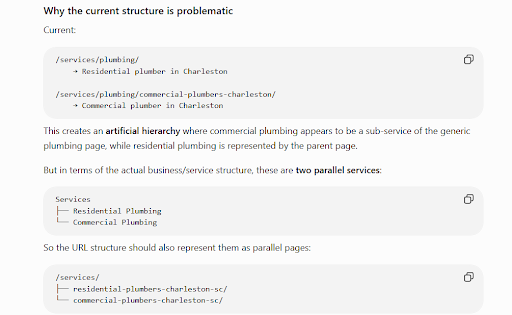
It landed on the same structure we had: both services at level 2, each URL carrying its own service name and city.
We didn’t use it as proof. We used it the way we’d use a second opinion – if it had pushed back, that was worth knowing before the recommendation went to the partner.
What the Change Fixes
Four things, all downstream of the same correction:
- Less ambiguity for Google. A URL is a relevance signal. /services/plumbing/ on a residential page sends a broader signal than the page deserves and the nesting adds a hierarchy claim on top of it. Naming each page for what it is removes both.
- Cleaner keyword targeting. Each page gets one service and one city in its URL. No page competing with a vaguer version of itself.
- Better internal linking. Anchor text, URL and page topic all agree. Links from blog posts or location pages point at a URL that already says what the destination is.
- Clearer navigation. The menu and the URL bar stop contradicting each other. Someone who clicks “Commercial Plumbers” lands on a URL that confirms where they are, instead of one suggesting they’ve gone one level into residential.
How We Presented It
In the white label SEO arrangement, we don’t take the recommendation to the client. The partner does. So it has to survive being handed over – clear enough that someone else can explain it without us in the room.
That ruled out sending URL strings. Strings are hard to argue about and harder to approve.
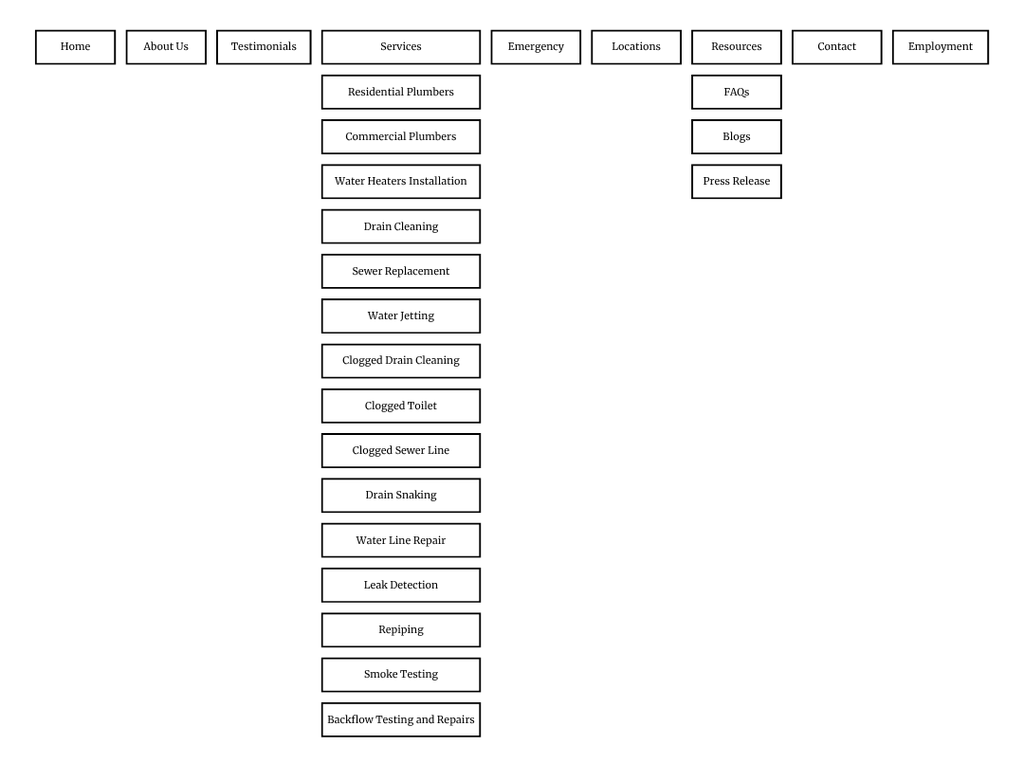
We built the navigation diagram instead – the full menu mapped out, with Residential Plumbers and Commercial Plumbers sitting side by side at level 2, and nothing below them.
That made the recommendation a single visual comparison: here’s what the structure claims now, here’s what it should claim. The partner could take that straight to their client without translating anything.
Why It Mattered
This wasn’t a broken site. Every URL resolved, every page loaded, nothing in the reports flagged it.
That’s what makes structural problems like this one persist. They don’t produce errors – they produce a slightly wrong description of the business, repeated on every page, in the one place a site can’t avoid describing itself.
We fixed the description.